MPS Console - Image
Activating Your Account
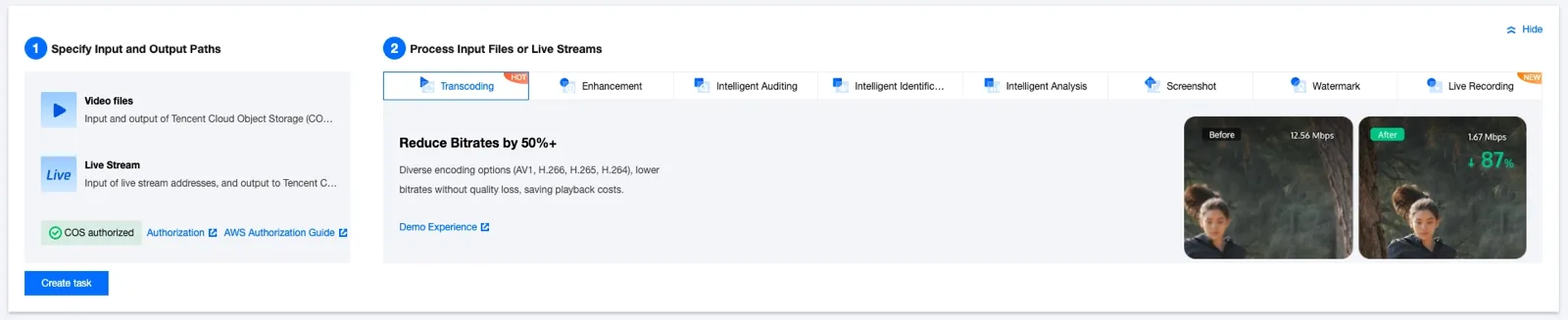
Click Hide in the upper right corner to hide the popup, then click Getting Started to begin.
Overview Screen
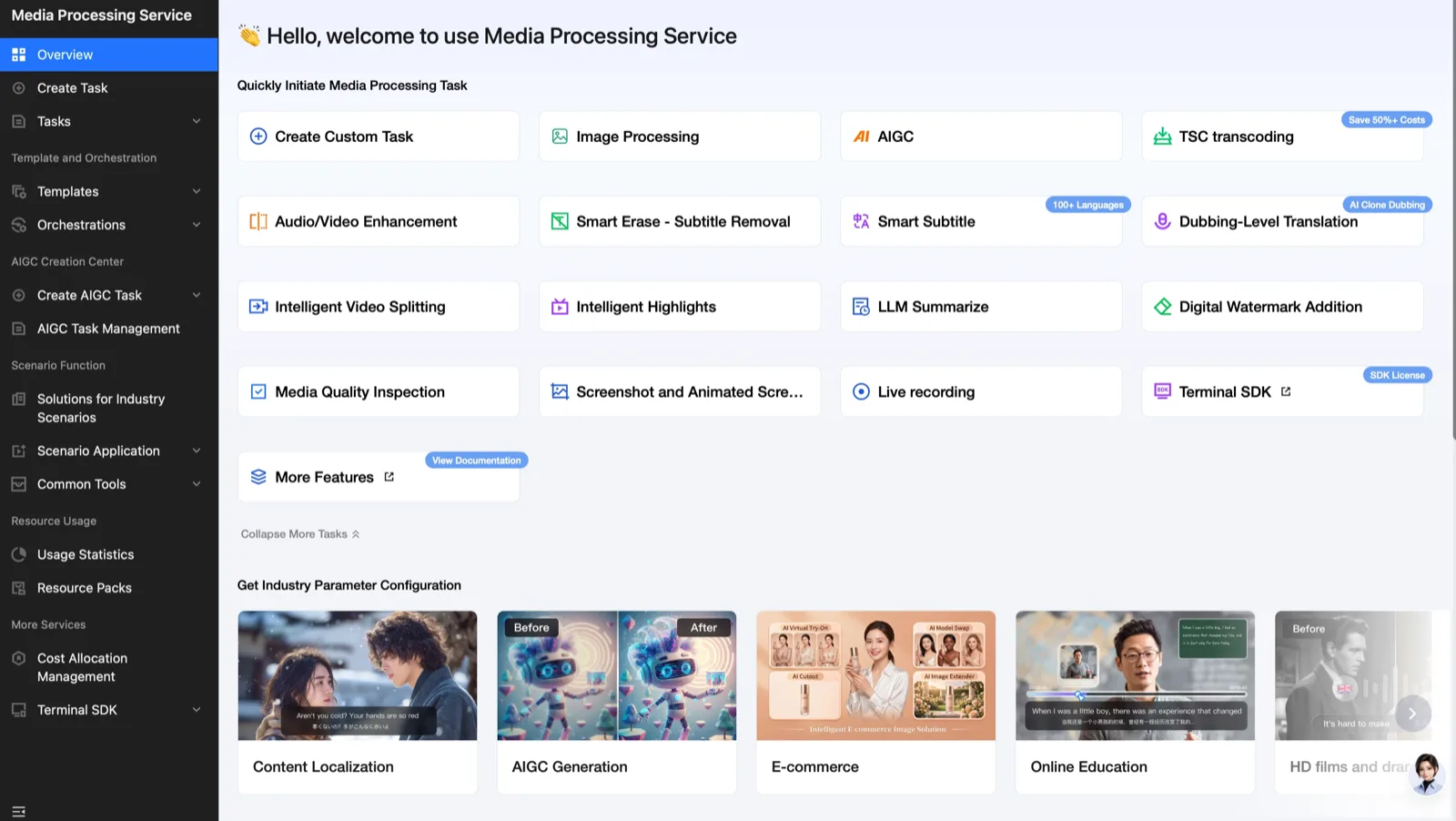
On this screen, you can press the button for the desired feature to move to the desired media processing screen more easily and quickly.
This page describes the guide for AI image generation.
Generating AI Images
There are largely 2 ways to generate content in the Tencent Cloud Console. The first is using a prompt, and the second is API Explorer. If you want to connect and use API separately, please refer to the "WAND-Create > MPS API" page.
1. General Image Generation
Select the AI Image tab in Create AIGC Task. If you want general image generation, you can generate it in the Common Creation console.
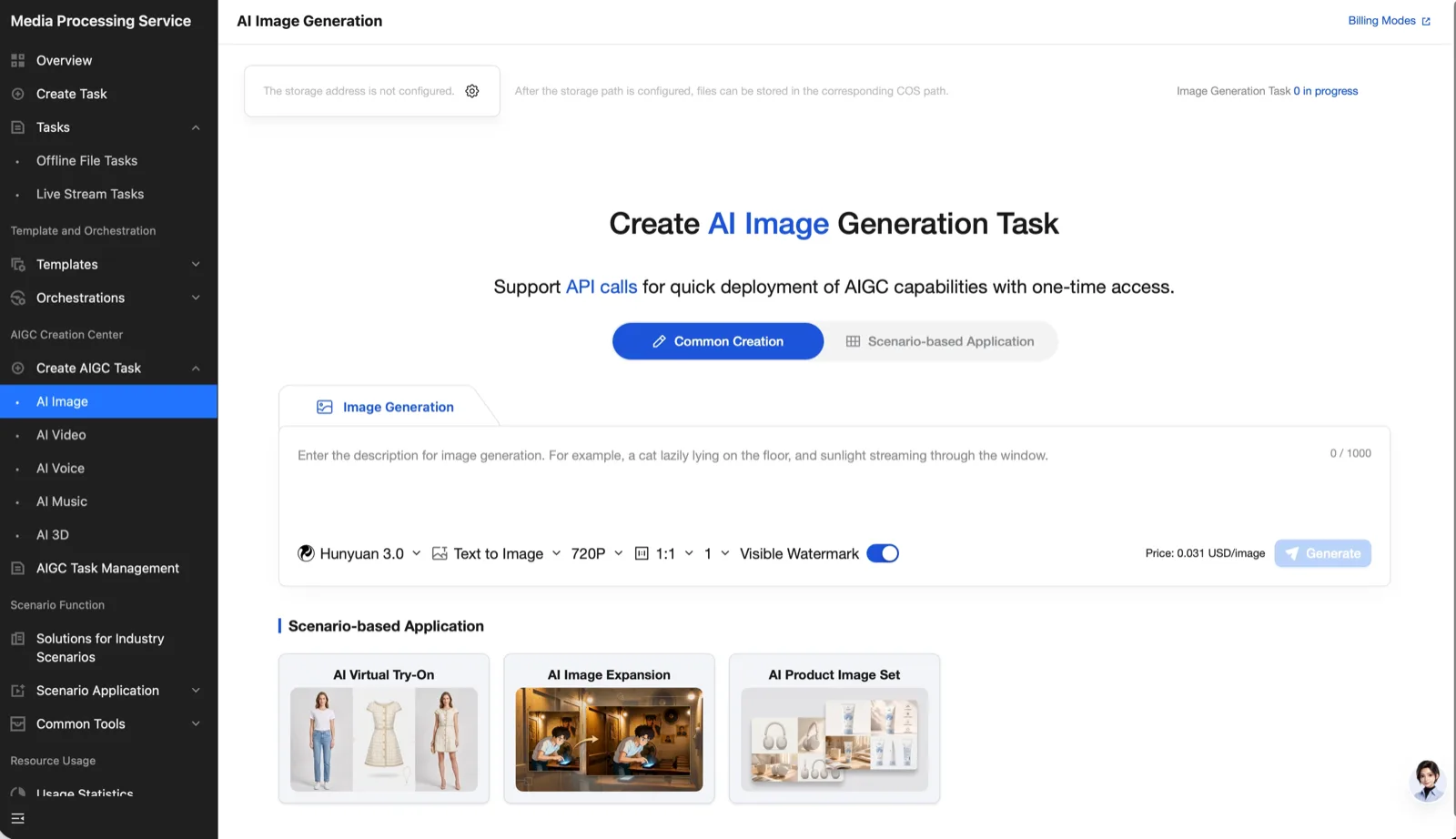
You can select various models and generation methods.
- Generation method: You can select one of
2methods: text-based and image-based. For image-based, you can input one image. - Resolution: This varies by model, so please check the console.
- Ratio: This varies by model, so please check the console.
- Watermark: The watermark is generated by default. Please turn it off if you do not want it generated.
MPS is billed per generated image.
Starting Generation
After selecting the desired model, generation method, resolution, ratio, and whether to include a watermark, press Generate to start.
Checking Generation Results
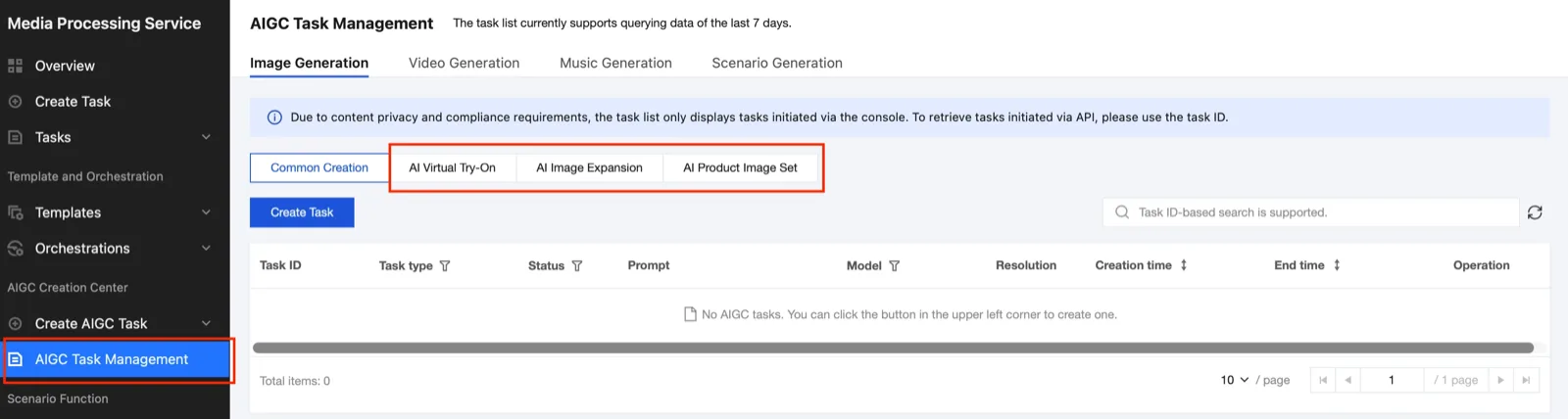
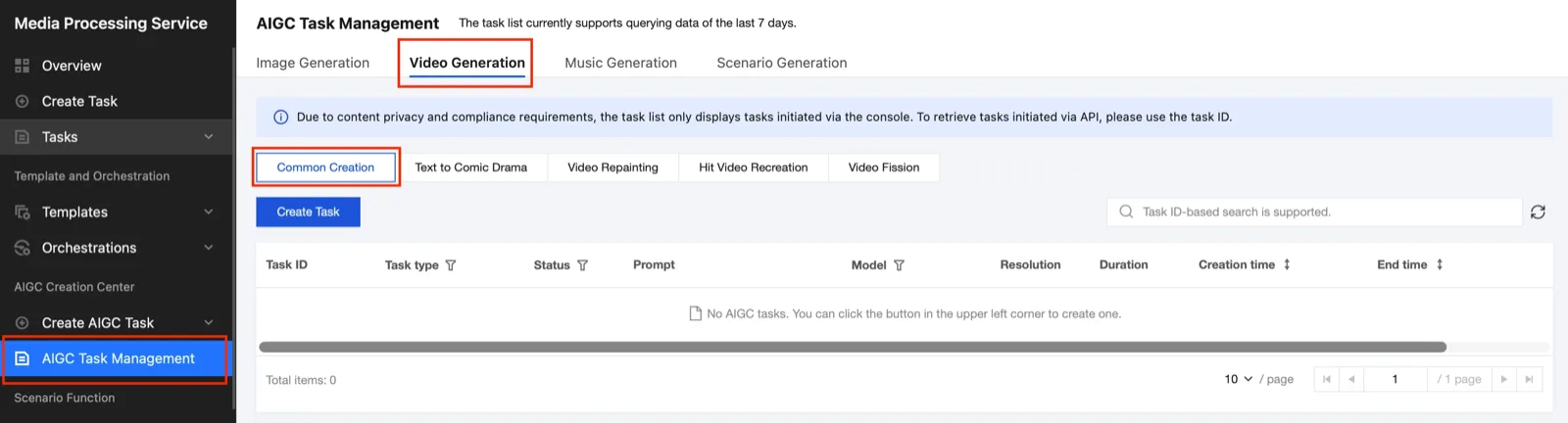
You can check the generation results in AIGC Task Magement > Image Generation > Common Creation.
2. Scenario-based Image Generation
If you want to generate an image based on MPS's own scenario templates rather than general image generation, click the Scenario-based Application tab. Currently, AI virtual model fitting, AI image expansion, and AI product image set generation scenarios are supported.
1) AI Virtual Model Fitting
AI virtual model fitting is a scenario that can generate an image of the desired model wearing the input clothing. WAND supports more detailed implementation of the clothing texture and design regardless of the clothing category, such as swimwear.
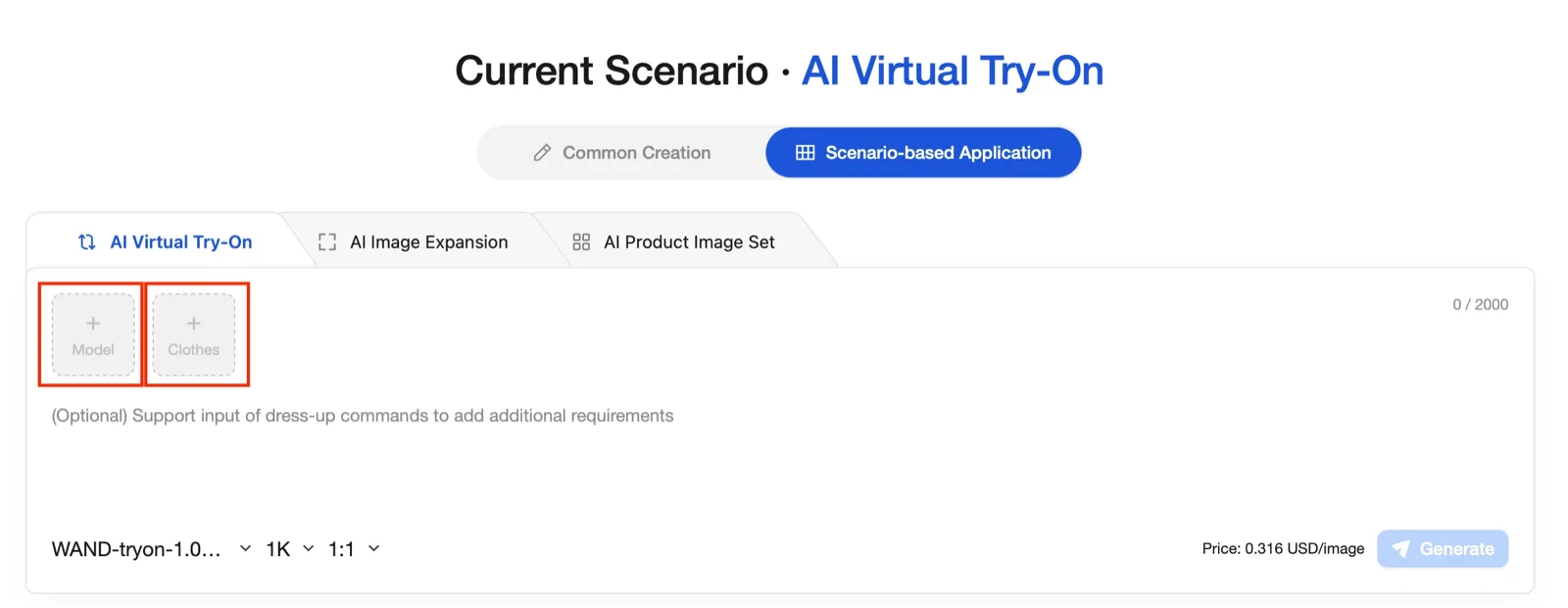
- Model: Lite, Flash, Pro
- Resolution:
1K,2K,4K - Ratio:
1:1,3:2,2:3,3:4,4:3,9:16,16:9
Please insert the desired model and clothing images. Additionally, you can write requirements such as the model's pose and background in the prompt and request generation.
2) AI Image Expansion
AI image expansion supports natural image expansion of the inserted image to the desired ratio and size. You can select the desired ratio in Aspect Ratio, and customize the size as desired in Size.
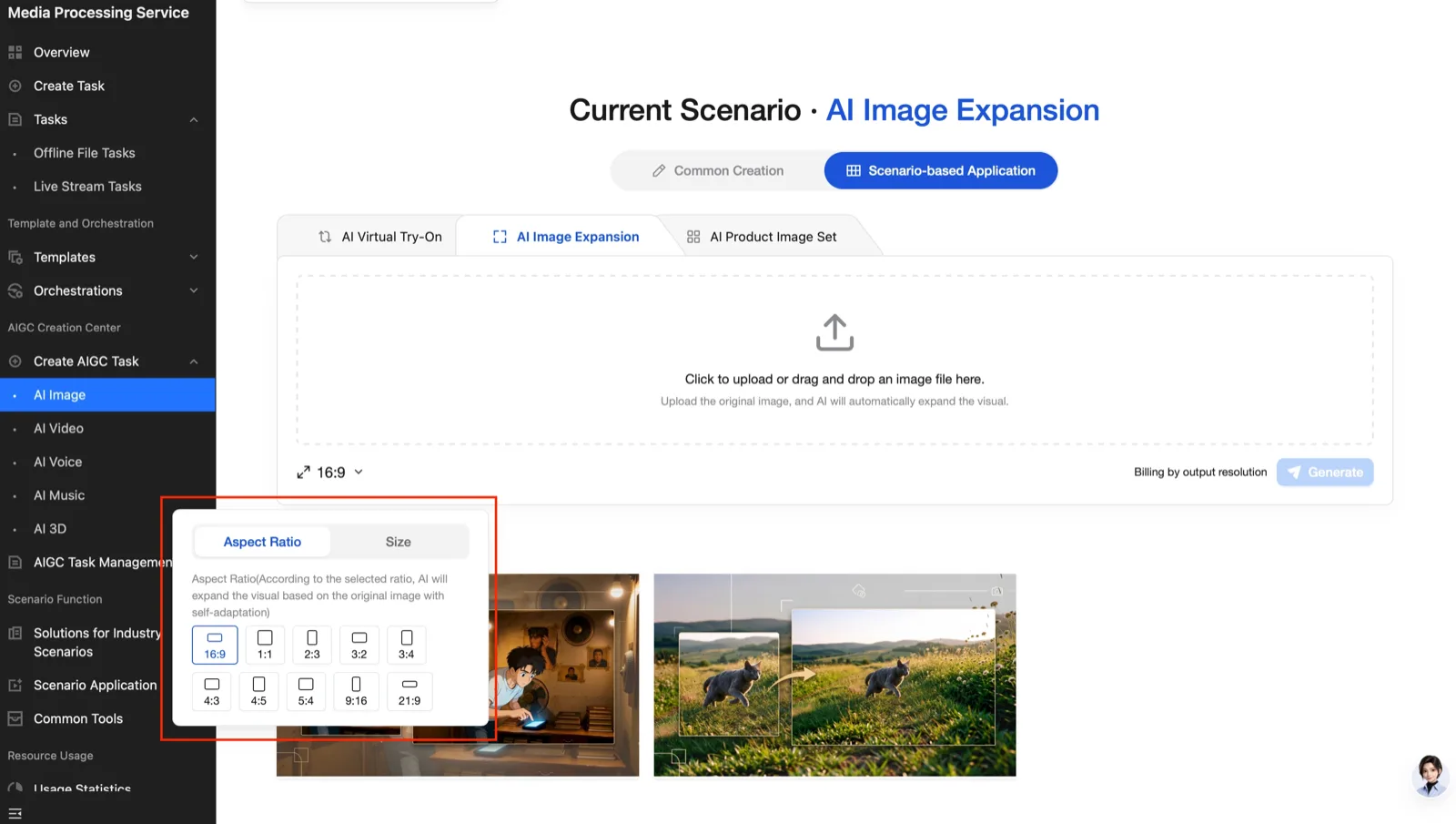
- Custom size:
128~2048pxfor width and height respectively
3) AI Product Image Set Generation
The AI product image set scenario makes it easy to generate main ad images, ad slogans, selling points, usage scenarios, detailed information, multi-angle images, and various atmosphere scene images for the input product.
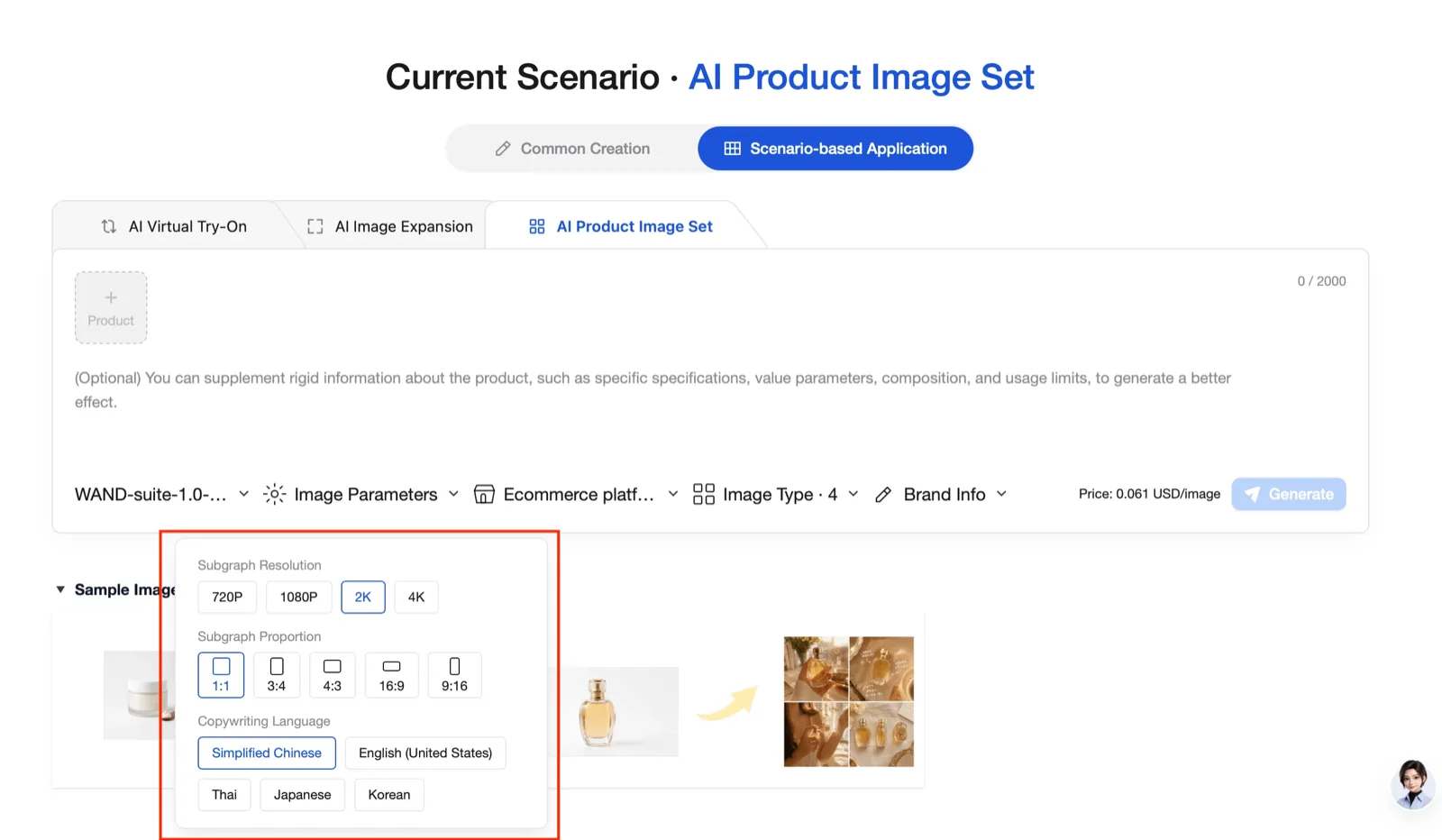
- Model: Lite, Flash
- Image parameters: You can select the desired resolution, ratio, and copyright language.
- E-commerce platform: You can select the product image template of the desired platform.
- Image type: You can select the desired number of images to generate for each of main product, selling point, usage scenario, detailed information, multi-angle, and various atmosphere scene images. You can generate a total of
12images at once, combining all images. - Brand / Product information: If you write the brand name, ad slogan, product selling points, visual form of the product, product material (e.g., soft cream texture), target customer group, and ad scenario (e.g., modern skin care in the bathroom) and then generate, the selling points, detailed images, etc. will be generated with the desired content. (If left blank, they will be automatically recognized and generated.)
E-commerce Platform Information by Code
| Code | Platform Name |
|---|---|
Ecommerce platform 01 | Taobao (Taobao) |
Ecommerce platform 02 | Amazon (Amazon) |
Ecommerce platform 03 | Jingdong (Jingdong) |
Ecommerce platform 04 | Pinduoduo (Pinduoduo) |
Ecommerce platform 05 | Temu (Temu) |
Ecommerce platform 06 | TikTok (TikTok) |
Checking Generation Results
You can check the generated image results for each scenario by clicking the scenario page you generated in AIGC Task Magement > Image Generation.