
VOD Console - Audio
If you want to generate the audio effects or songs your video needs, you can do so easily in the VOD Console. To generate, select the AI Generation > AI Music page. (On pages that generate into the Default Application, you can generate from the AI Audio page.)
1. Sound effect generation
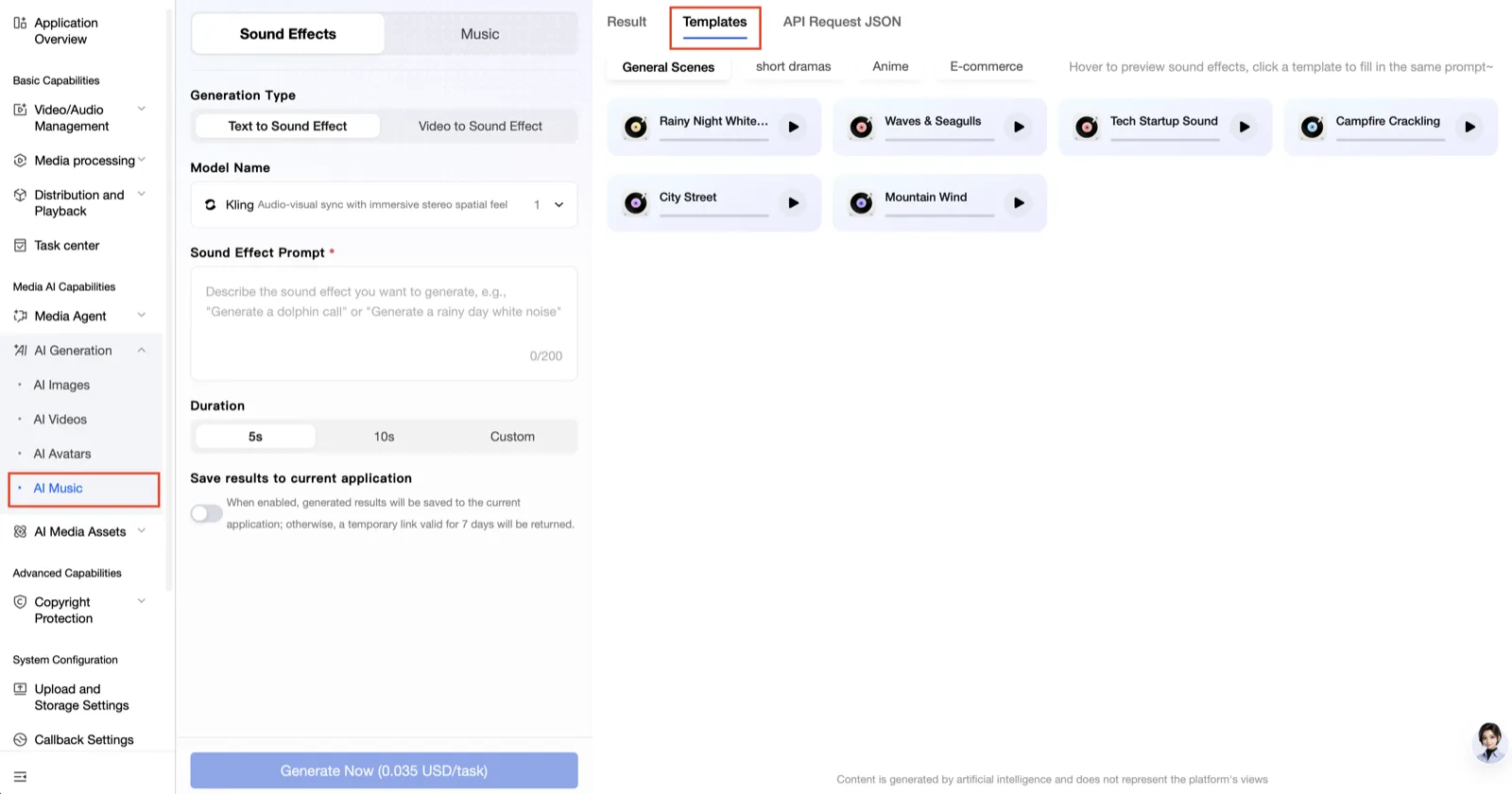
- Generation modes : text-based generation, video-based generation
- Models : the console currently supports only Kling.
- Prompt : write a prompt describing the effect you want.
- Generation length :
5 seconds,10 seconds, custom (between3 secondsand10 seconds) - Save the output to the Application : turn this feature on if you want it saved. If you leave it off, the output stays valid for
7 days. - Result : you can check the generation results of recent jobs on this tab
- Template : select the sound effect template you want. You can supplement the prompt based on that template to generate a new effect
2. Music generation
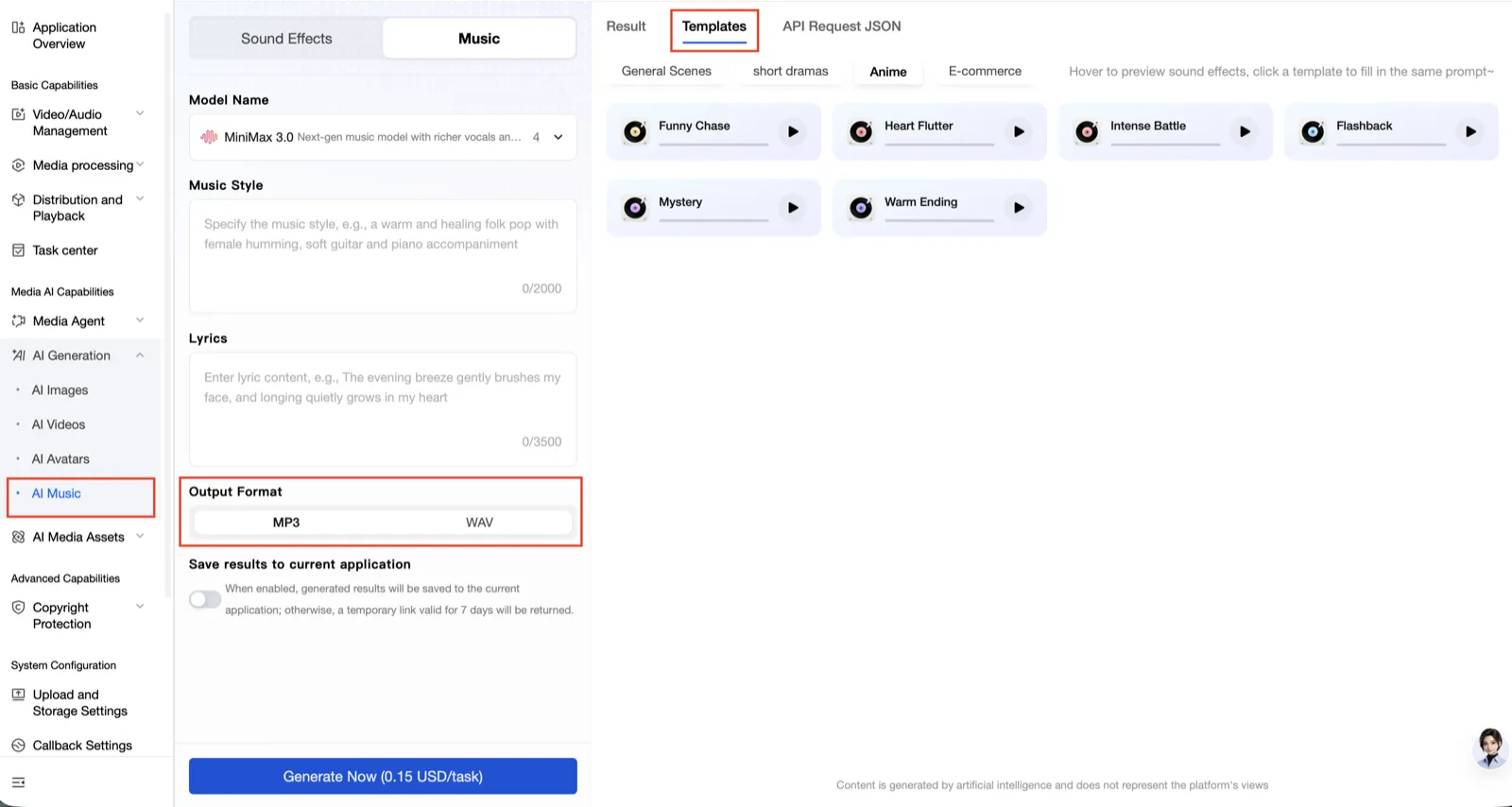
- Models : select the model you want.
- Music style : write the style you want.
- Lyrics : write the lyrics of the music you want.
- Output format : the supported output formats differ by model. See the console for details.
- Save the output to the Application : turn this feature on if you want it saved. If you leave it off, the output stays valid for
7 days. - Result : you can check the generation results of recent jobs on this tab
- Template : select the music template you want. You can supplement the prompt based on that template to generate new music
Checking the generation result
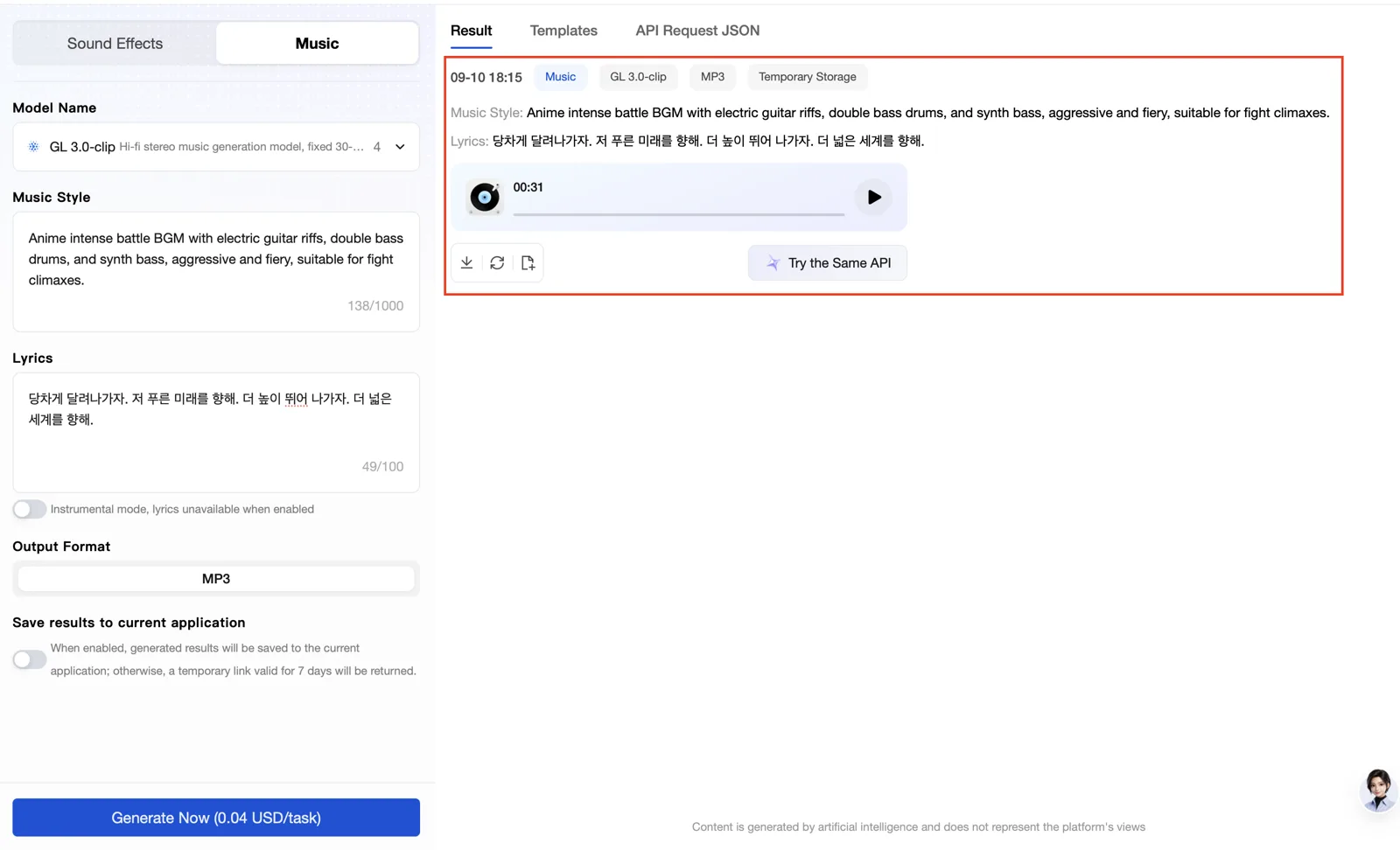
Select Result on the right to preview and download the generated output.
If you did not save it to an Application, the output on the Result page can only be viewed and downloaded for 7 days.