
Console Guide Overview
1. Accessing the MPS / VOD Console
Access the console of the service you want to use.
- On the Overview page of the console, you can search for MPS (Media Processing Services) or VOD (Video on Demand) and access it.
- Alternatively, you can easily access the console through Get Started on the product pages below.
MPS Prerequisites
- You must log in to your Tencent Cloud account and complete identity verification.
- You must activate Tencent Cloud MPS.
- Grant COS read and write permissions to MPS. For the configuration method, refer to Step
2.
Activating the Account
Click Hide in the top right corner to hide the popup, and then click Getting Started to begin.
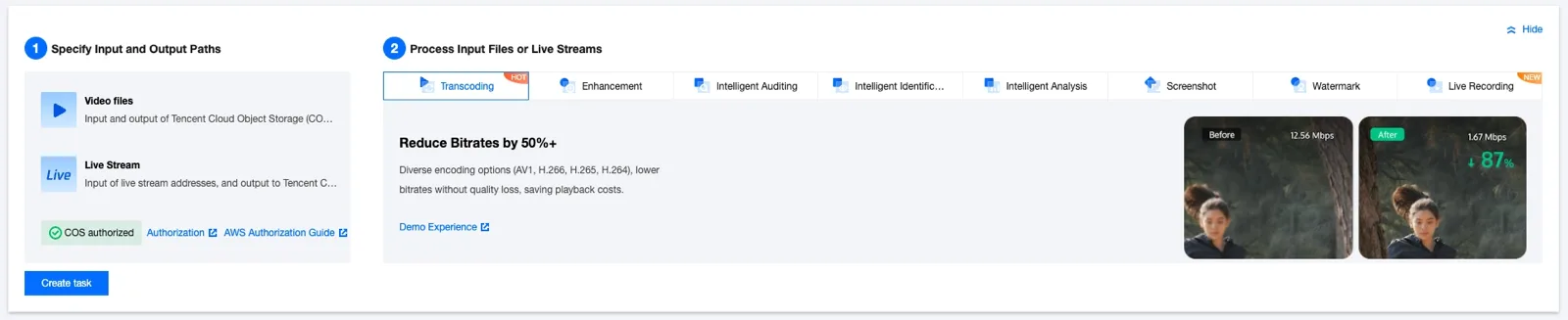
MPS Console
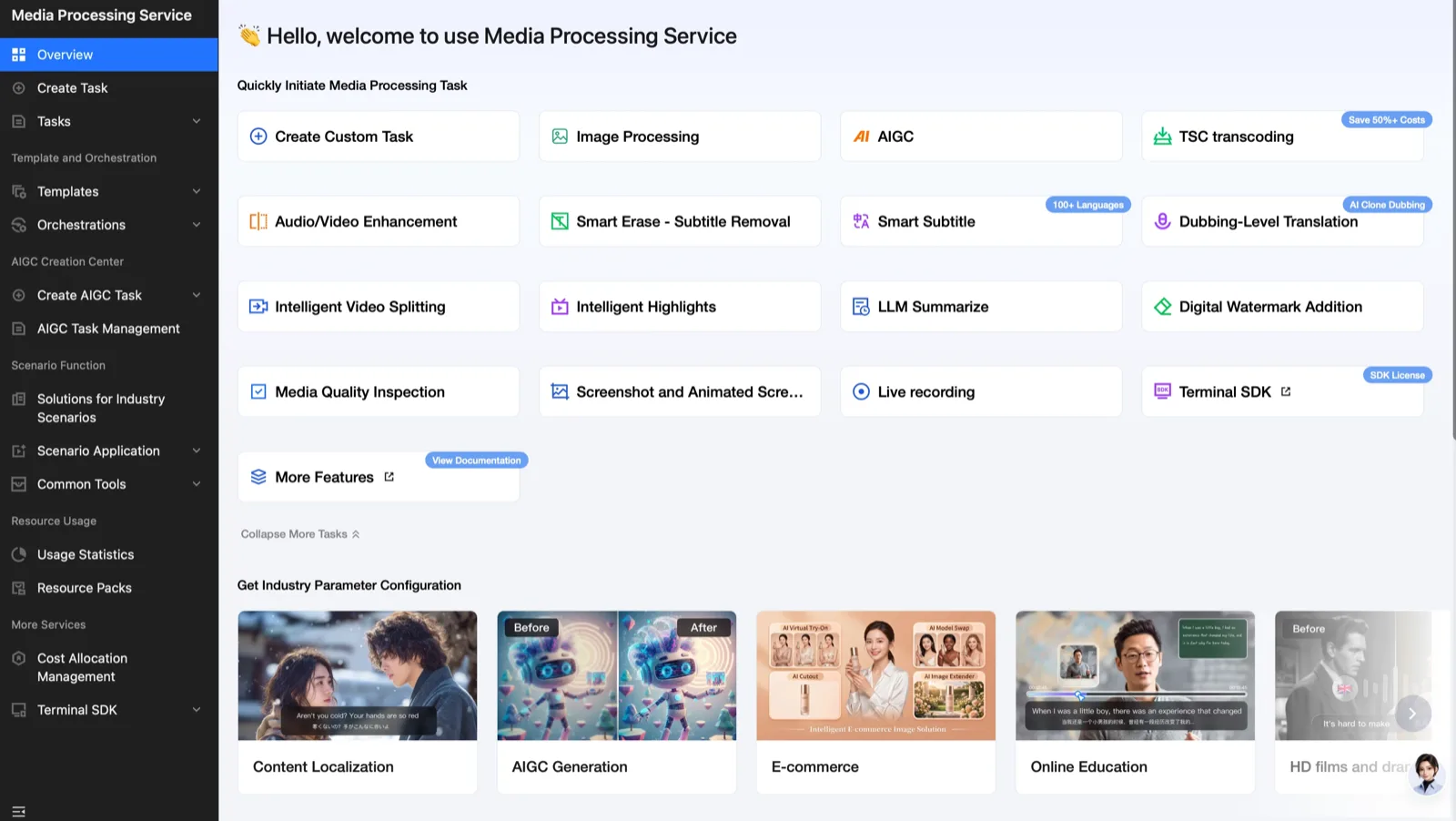
On this screen, you can press the button for the feature you want to move to the desired media processing screen more easily and quickly.
VOD Console
- You must log in to your Tencent Cloud account and complete identity verification.
- Activate Tencent Cloud VOD. For the configuration method, refer to Step
2.
Selecting a VOD Task
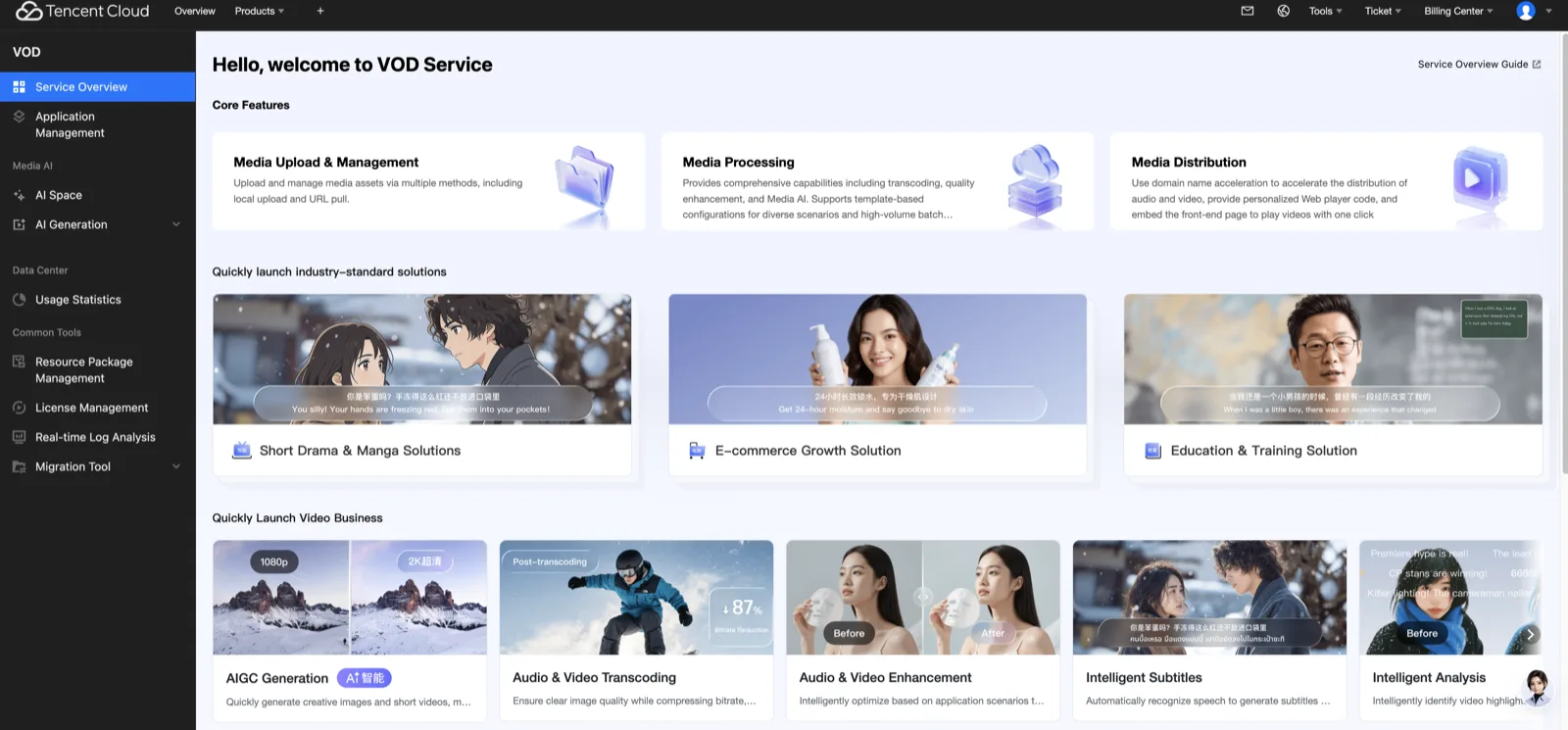
On this screen, you can press the button for the feature you want to move to the desired feature screen more easily and quickly.
Guide by Task
| Task | MPS | VOD |
|---|---|---|
| Image | Image | Image |
| Video | Video | Video |
| Music · audio | Music | Audio |
| Voice | Voice | Media Agent |
Moving to API Integration
In the console, open the detailed documentation of the selected model and check the supported versions and request examples. Connect in the order of creation → query → download in the first API request.