
Starting and Stopping a Flow
After completing the input and output configuration, start the Flow. The Flow running status and actual origin reception / output delivery must be checked separately.
Checks Before Starting
- Check the target region and the Flow name / ID.
- Check the protocol, address, and allowed access IPs of the Input.
- Check that the Output destination is prepared and the required authentication has been applied.
- If the Flow is shared, check the impact of the task and the person in charge.
Console Operations
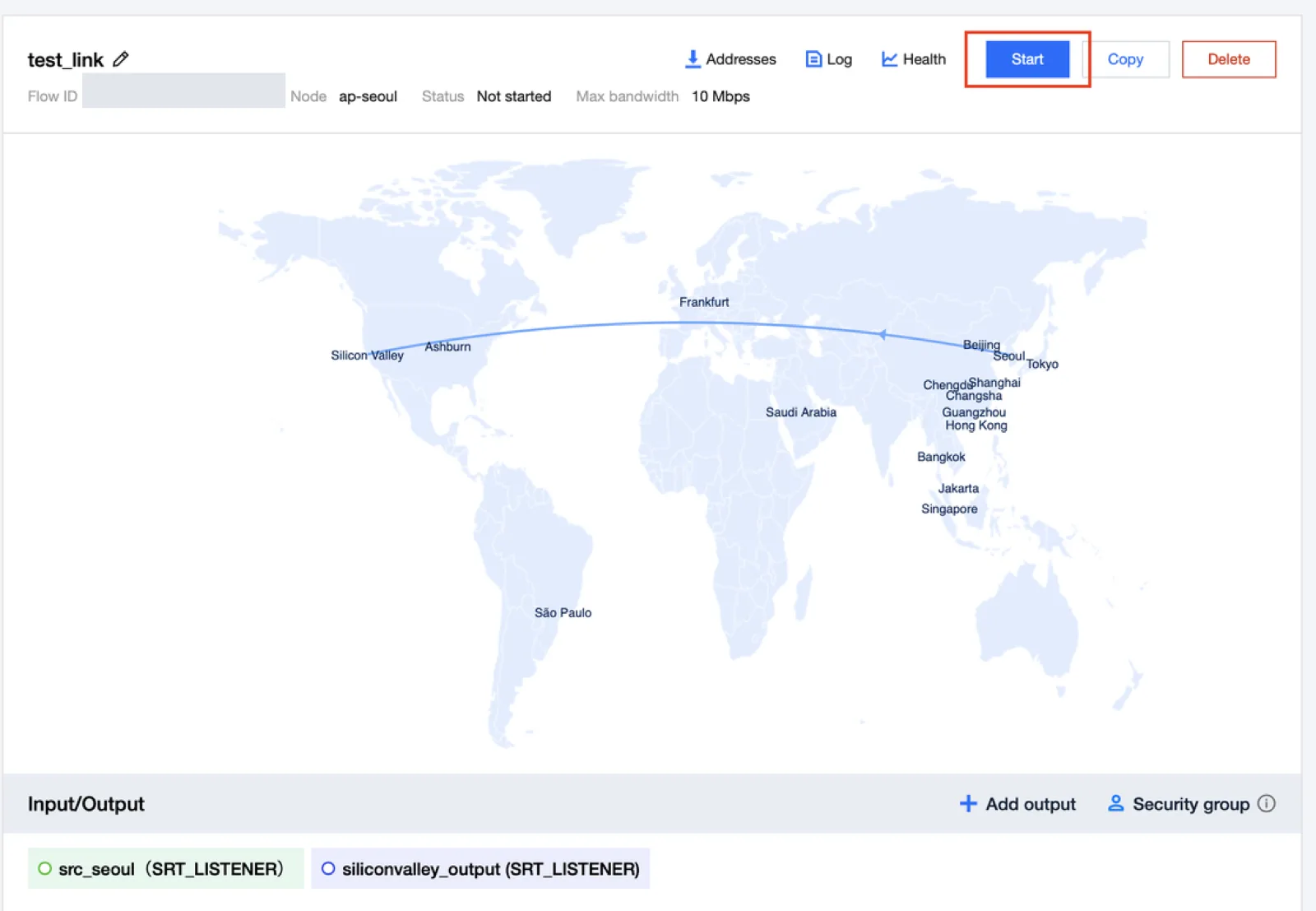
- Select the target Flow in Flow management of the Event.
- In the Input/Output area, click each connection to check its settings.
- Select Start at the top right of the details screen.
- Start streaming from the origin encoder.
- Check the input reception and output delivery status in Log and Health.
Verifying Execution
| Check | How to Determine Whether It Is Normal |
|---|---|
| Running status | Check the Flow status after the start request |
| Log | Check events such as streaming start / stop / IP blocking |
| Health | Check the input / output bitrate and frame rate |
| Destination | Check the actual video / audio in the receiving service |
Check the input reception / output transmission metrics separately, together with the channel status.
API Example
Replace YOUR_FLOW_ID with the actual test Flow ID.
bash
tccli mdc StartStreamLinkFlow --region ap-seoul --FlowId YOUR_FLOW_ID
tccli mdc DescribeStreamLinkFlow --region ap-seoul --FlowId YOUR_FLOW_ID
Stopping and Ending
When the test is finished, stop the encoder streaming and select Stop for the Flow.
bash
tccli mdc StopStreamLinkFlow --region ap-seoul --FlowId YOUR_FLOW_IDAfter stopping, check the status again. Deletion is optional and should be performed after checking the dependencies and the systems that use the input / output addresses.