
Changing Input / Output Settings
When changing an input / output in StreamLink, first check the impact on the current running state and on the connections.
Checks Before the Change
- Check the name / ID / region of the target Flow.
- Record the current input / output settings and connection addresses.
- Check the sending / receiving systems in use and the scope of impact.
- Prepare the new destination and the authentication / firewall settings first.
- Keep the setting values from before the change.
Modifying Input/Output
In Edit, select the items to change. Apply them according to the protocol / item / current state, and perform tasks that require stopping during a maintenance window.
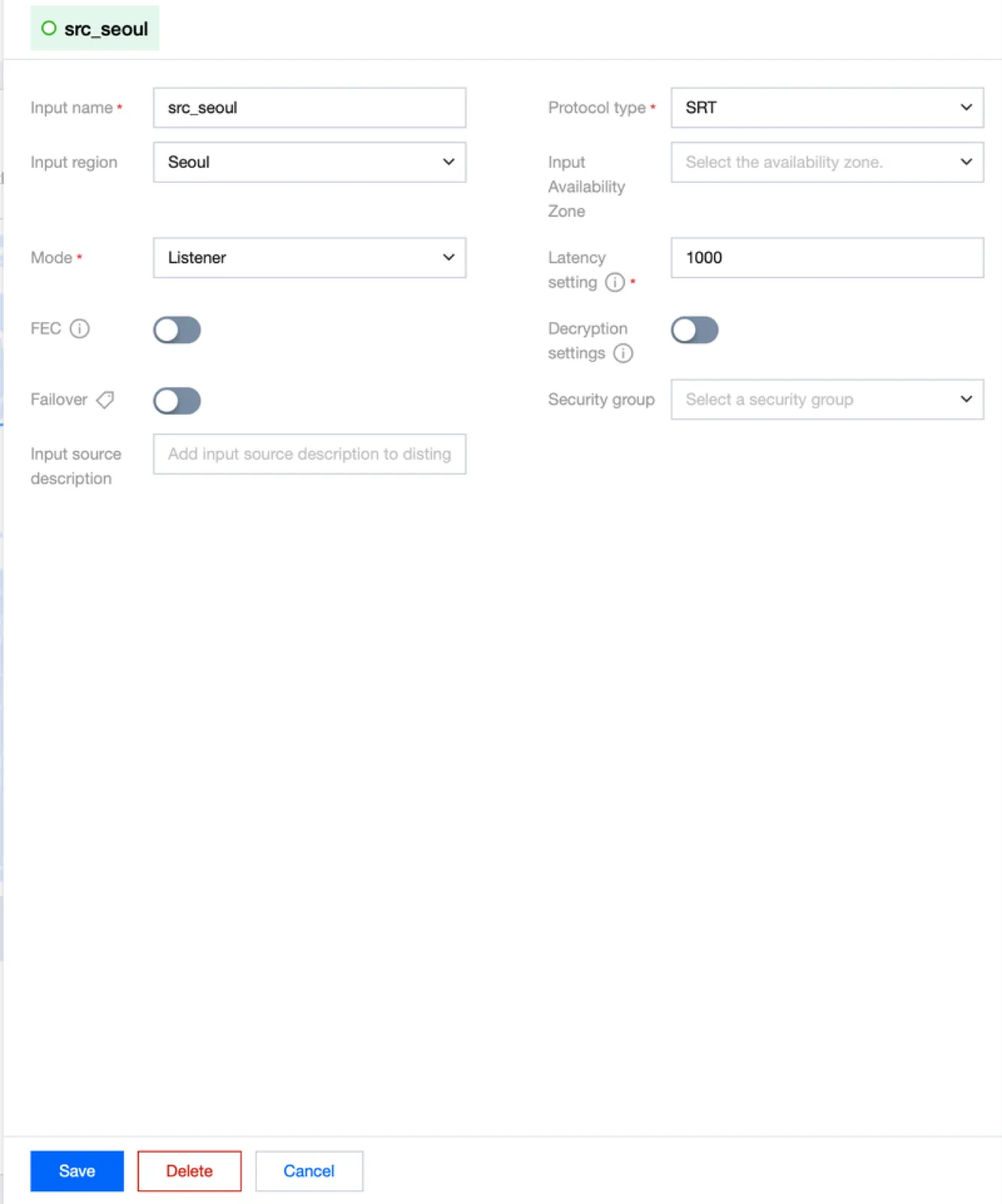
Immediately after the modification, reopen the details screen to confirm the saved values, and inspect the input / output connections in Log and Health.
Deleting an Output
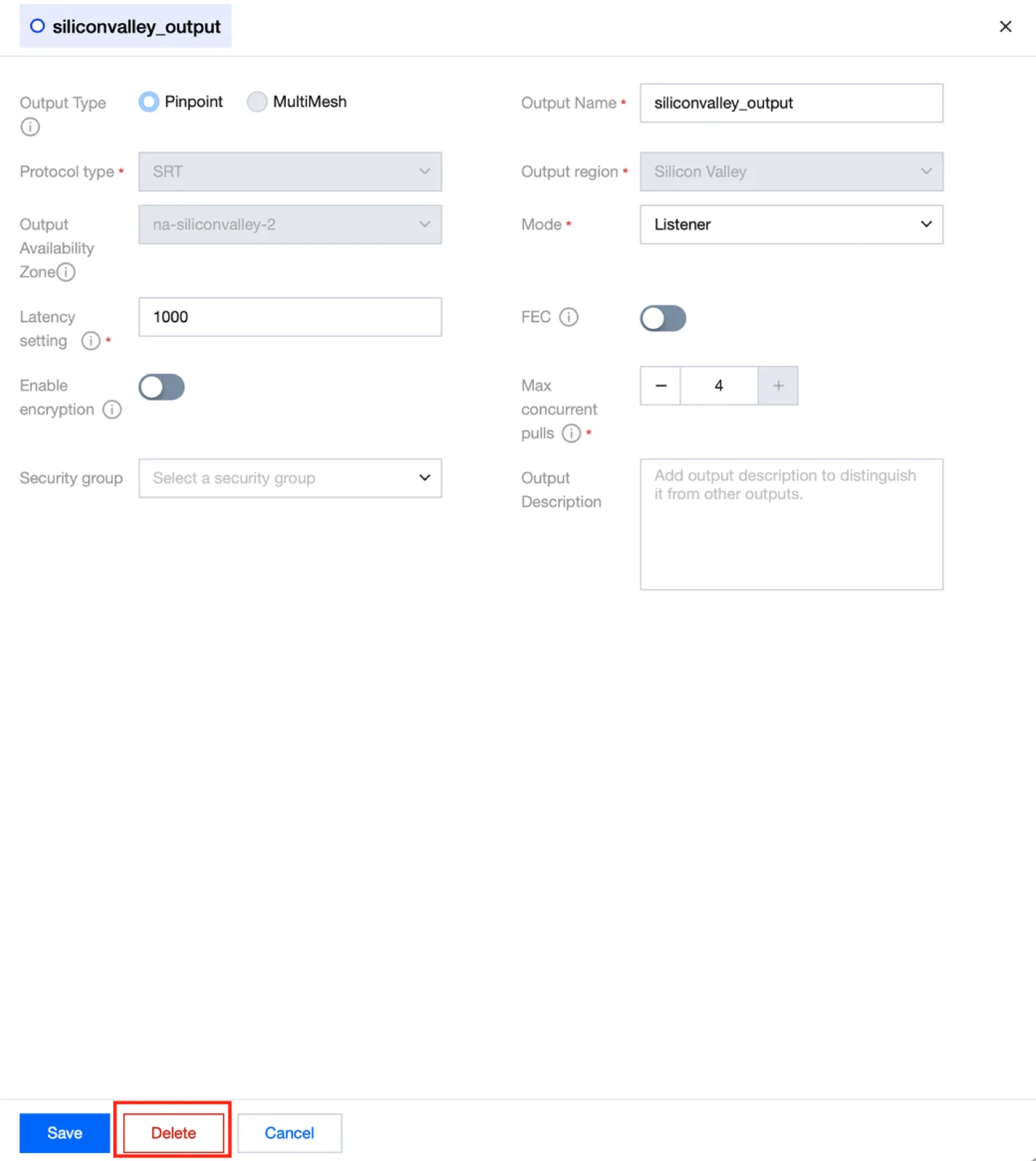
Deleting an Output affects the receiving systems that use that path. Check the name and address of the target Output and, if needed, first verify reception on an alternative output.
Adding Inputs / Outputs
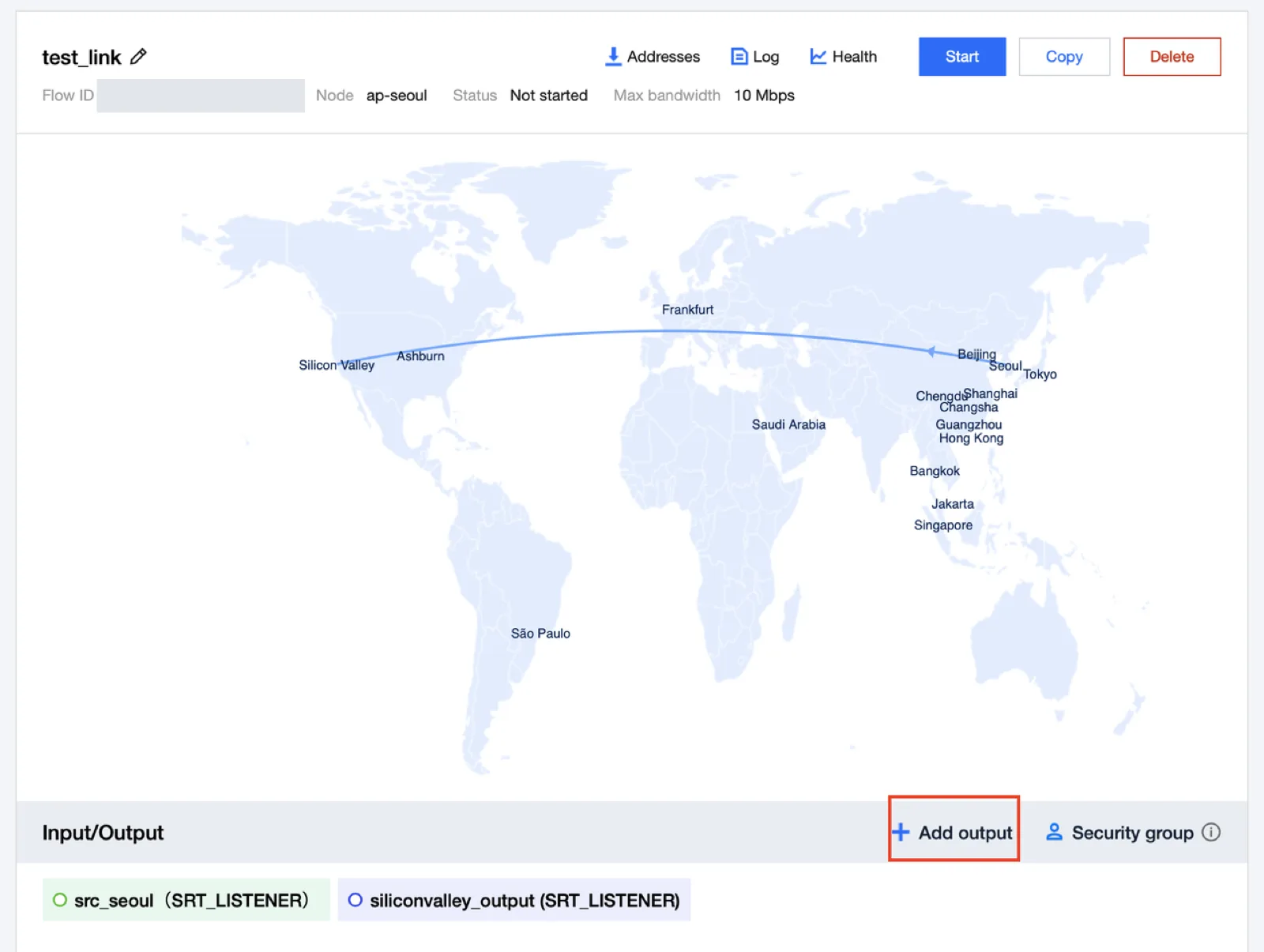
Add a destination in Add output and prepare the receiving system. After adding an input with Add input, configure the sending address and the input switchover policy.
Verification After the Change
| Step | What to check |
|---|---|
| Settings lookup | The changed values and the preservation of the remaining configuration |
| Input | Source reception status and bitrate |
| Output | Destination connection status and bitrate |
| Log | Block / interruption / reconnection events |
| Receiving service | Actual video / audio and continuous playback |
Apply the changes step by step and verify the behavior at each stage. If needed, restore from the settings you kept.