
StreamLive Input Security Groups
An input security group restricts which publishing IPs may connect to a PUSH input. Allow the public IP of the actual publishing source and attach the group to the Input you created.
Prerequisites
- Confirm your permission to use StreamLive and the target region.
- Have the public IP of the publishing device or relay service ready.
- If you use NAT, confirm the egress IP as seen from outside, not the device's private IP.
- If you relay through StreamLink, use the IP on the StreamLink output side that actually connects to StreamLive.
If you configured user name / password authentication on the RTMP input, you must apply the same credentials on the publishing side.
Console Configuration
- Open the Security Group menu in the StreamLive console.
- Create a new security group and enter a name that makes its purpose clear.
- Add the actual publishing address to the IP allowlist. Specify a single IPv4 address in /
32form. - Save, then review the allowlist again.
- Select this security group under Input → Create Input.
Attach the Security Group you created to the target Input.
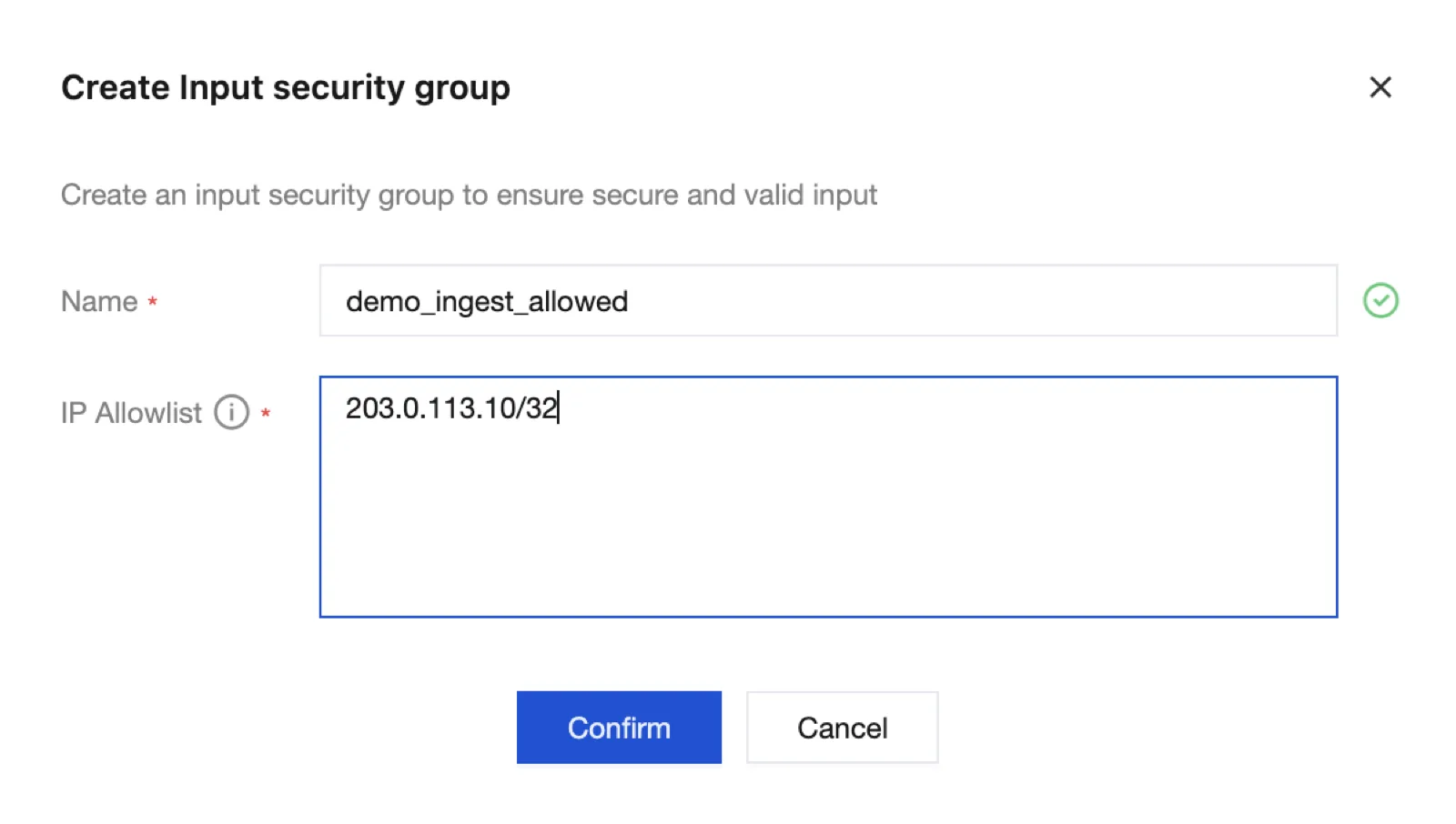
The 203.0.113.10/32 on screen is a documentation example. Replace it with your actual publishing public IP. After entering the name and IP, create the group with Confirm, then select it on the Input creation screen.
API Example
The 203.0.113.10 below is a documentation address. Replace it with your actual public IP before running the command.
tccli mdl CreateStreamLiveInputSecurityGroup --region ap-seoul \
  --Name demo_ingest_allowed \
--Whitelist "203.0.113.10/32"tccli mdl DescribeStreamLiveInputSecurityGroups --region ap-seoulCheck the generated group ID and allowed IPs in the response. You use this ID in SecurityGroupIds when creating an input.
Verifying That It Applies
| Check point | What to verify |
|---|---|
| Security group | The actual publishing public IP is included |
| Input | The security group ID you created is attached |
| Publishing | Ingest succeeds from the allowed publishing side |
| Connection check | Verify the NAT egress IP, relay IP, region, and input address |
Register the publishing side's public IP in the allowlist. 0.0.0.0/0 is the setting that allows all IPv4 addresses.
Changes and Wrap-Up
Before changing the policy, check the attached Input and publishing IPs. After testing, verify the reference relationships and clean up the dedicated group.