
StreamPackage Endpoints
An endpoint is the output configuration that exposes a channel's input as a playlist for viewers to pull. Keep the two apart: the input address is for publishing, while the endpoint URL is for playback.
Prerequisites
Confirm the channel and input protocol, then decide on the playback format, access policy, and whether time shifting and DRM are needed. Start the basic HLS playback check without any additional features, and verify the features you need separately.
Creating in the Console
- Open the Output Endpoint tab in the channel details.
- Select Create Output Endpoint.
- Specify Name and Type.
- Enter the Playback List Name. This corresponds to Manifest Name in the official documentation.
- Review the IP Restriction / AuthKey / time-shifting / DRM settings you need.
- Save with Confirm, then check the URL in the resulting list.
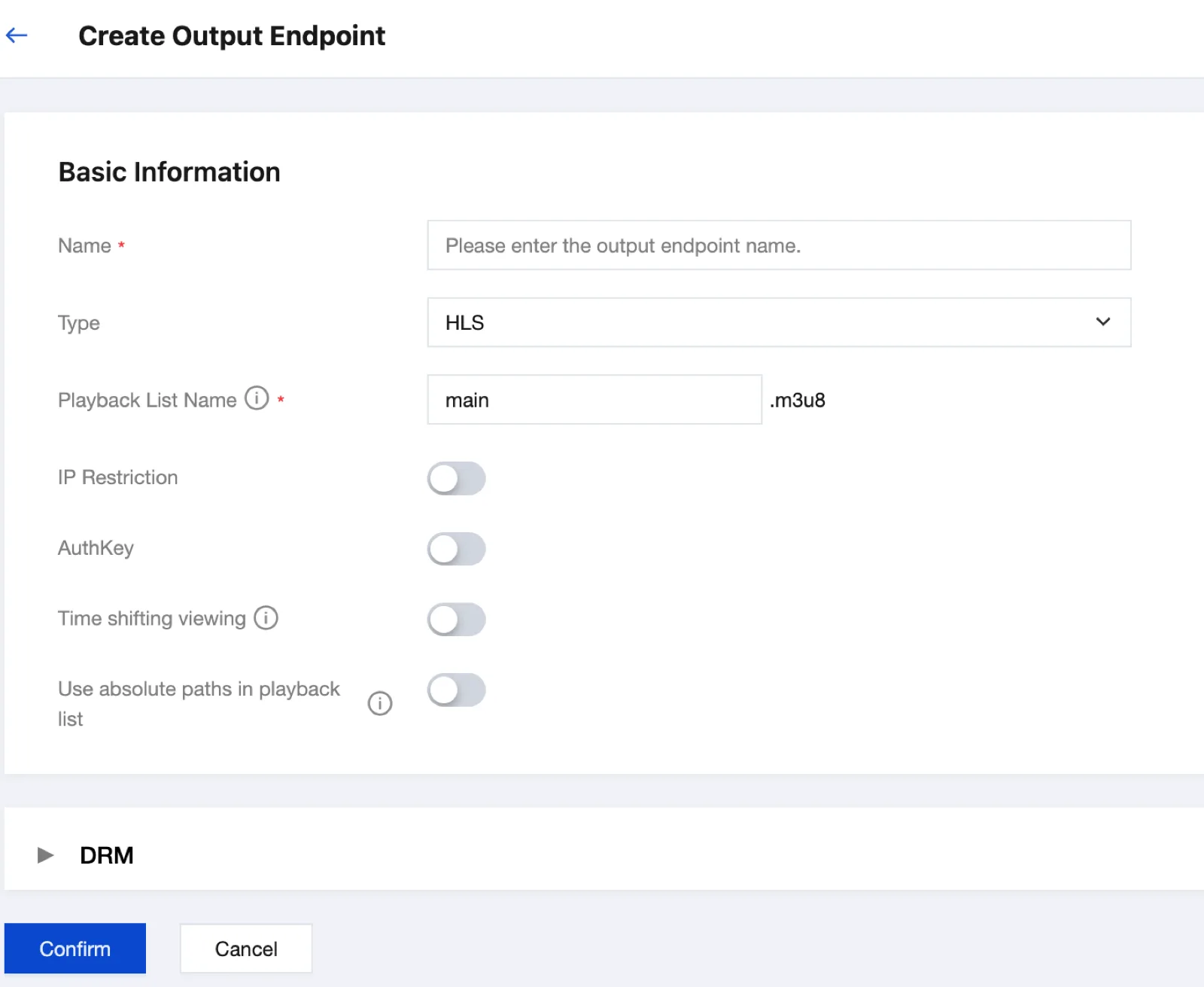

The URLs in the screenshots are redacted. Copy your own address from the actual console. The default playback list name main corresponds to main.m3u8 in HLS. If you changed it to index, you must request index.m3u8 instead.
Access Policy
| Setting | What to verify |
|---|---|
| IP restriction | Whether the actual requester is a player or an origin-pull node of CDN |
| AuthKey | Authentication based on the HTTP header X-TENCENT-PACKAGE |
| HTTPS | A valid certificate applied to the playback domain |
| DRM | Supported output formats and license integration requirements |
AuthKey is used in the authentication header of origin requests. Configure the required credential passthrough in CDN and store the credential values securely.
API Query
tccli mdp DescribeStreamPackageChannel --region ap-seoul --Id YOUR_CHANNEL_IDCompare the endpoint name, protocol, Manifest, and URL in the query result against the console. For the supported values per protocol and whether each field is required, check the schema of the API version you are using.
Time Shifting
Once Time-shifted Viewing is enabled, you can construct playback requests for retained live segments. The requested range must fall within the range that is actually retained.
https://YOUR_HOST/YOUR_ENDPOINT/main.m3u8?timeshift=1&start=2026-09-18T00:00:00Z&end=2026-09-18T01:00:00ZPer the official guide, the start time must fall within the Startover Windows, and the end time must be later than the start. A range returned for a specified start and end can span at most 24 hours.
Distinguishing from Ad Insertion
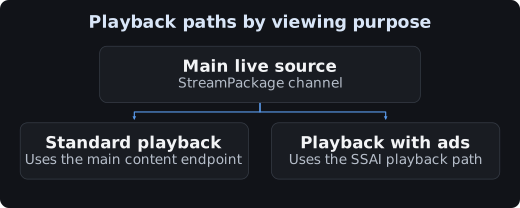
For SSAI, verify ad insertion after configuring the main content source, ADS, and sessions. Verify plain HLS playback first, then the ad integration.
Completion Checks and Deletion
Verify the master playlist, the media playlist, the actual segments, and the video / audio in that order. Before deleting, check the CDN and player addresses in use. If you recreate a deleted endpoint, the URL may change.