
StreamLive Input Configuration
An Input is the connection through which StreamLive receives the source video. An input is required both when the encoder sends directly and when StreamLink relays.
Distinguishing PUSH and PULL
| Input Type | Side That Initiates the Connection | Usage Example |
|---|---|---|
| RTMP_PUSH / RTMPS_PUSH | Encoder or relay service | Stream to the address provided by StreamLive |
| RTMP_PULL | StreamLive | Receive from an accessible RTMP source |
| SRT_PUSH | Sending side | Transmit to the StreamLive receiving address |
| SRT_PULL | StreamLive | Connect to the source SRT Listener and receive |
| HLS_PULL | StreamLive | Receive from an accessible HLS source |
If the StreamLink output is an SRT Caller, the receiving side must act as the Listener. First compare the Type in the input list with the actual connection direction.
Prerequisites
- Check the protocol to use and the source video / audio format.
- For PUSH input, prepare an input security group.
- For PULL input, check the source address, network accessibility, and required authentication.
Create an RTMP Input
- In the StreamLive console, select Input → Create Input.
- Specify the name and the RTMP_PUSH type.
- Attach a security group.
- Enter the application name and stream name of the Destination.
- If you use username / password authentication, also apply it in the settings on the sending side.
- After saving, check the generated input address.
Specify the input name using English letters / numbers / underscores within a range of 1~32 characters.
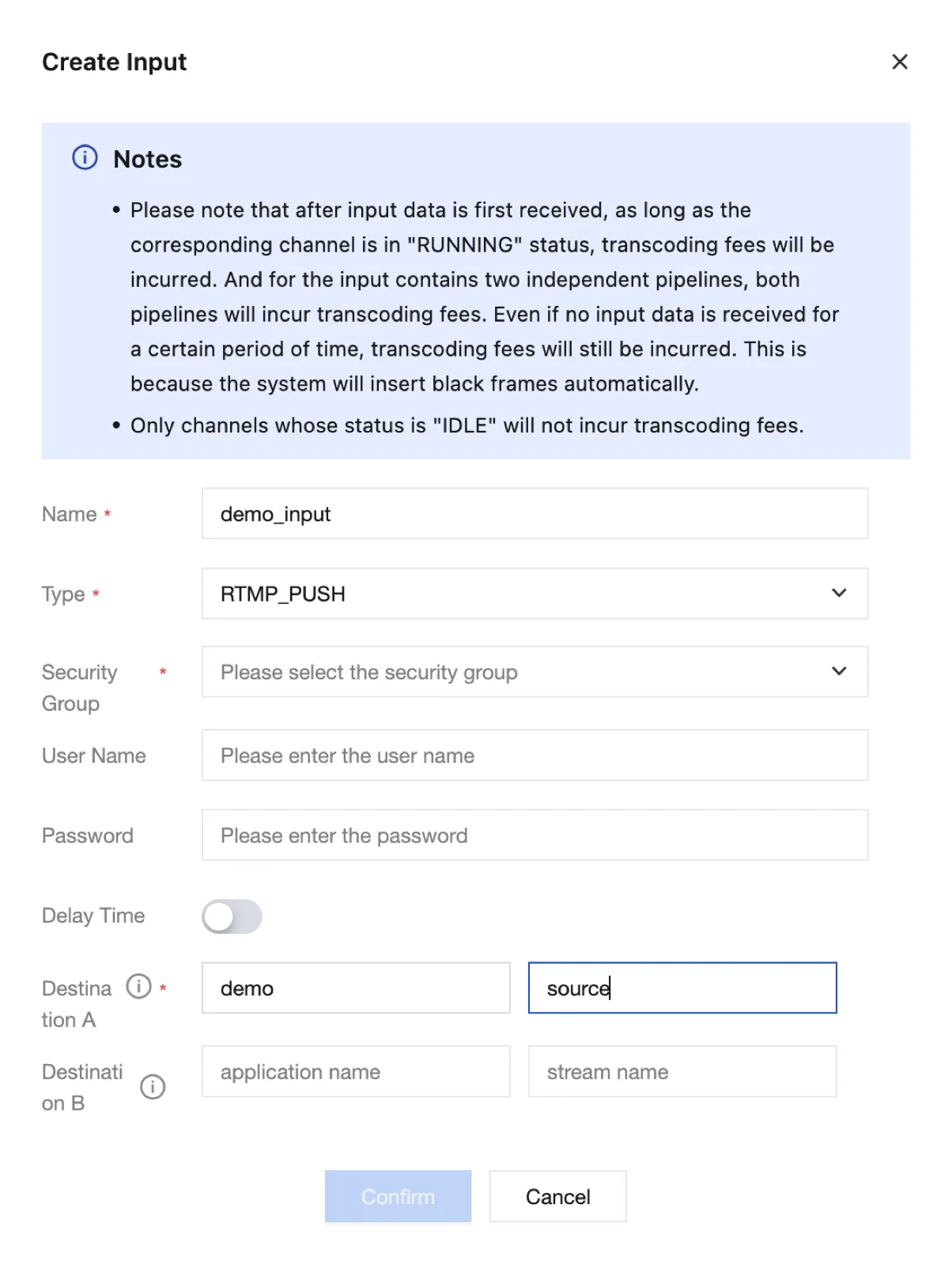
In the RTMP_PUSH input creation form, select a Security Group, specify the application name and stream name in Destination A, and then click Confirm. Destination B is used for the second pipeline.
Connecting the Streaming Address
| Setting on the Receiving Side | Value to Enter on the Sending Side |
|---|---|
| Generated RTMP host and application name | Server URL |
| stream name | Stream Key |
| Username / password authentication | Authentication settings of the streaming program |
In programs that take a full RTMP URL, such as FFmpeg, combine them according to the format of that program.
API Example
Replace YOUR_SECURITY_GROUP_ID with the ID of the group you created. This example creates an RTMP input; connecting the channel is a separate step.
tccli mdl CreateStreamLiveInput --region ap-seoul \
  --Name demo_input \
  --Type RTMP_PUSH \
  --SecurityGroupIds '["YOUR_SECURITY_GROUP_ID"]' \
--InputSettings '[{"AppName":"demo","StreamName":"demo_stream"}]'tccli mdl DescribeStreamLiveInput --region ap-seoul --Id YOUR_INPUT_IDIn the query response, check the input type, attached security group, application name and stream name, and the generated address.
Channel Connection and Redundancy
Connect the Input to the Channel. Check the Attached status together with the actual streaming / reception metrics.
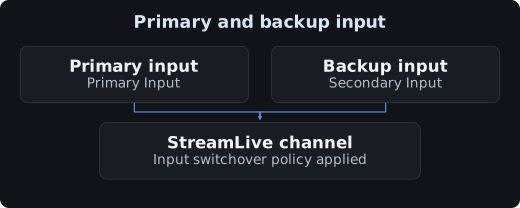
The A/B pipelines provided by a single Input differ from a configuration that connects multiple Inputs to a channel. Check both the input switchover policy to use and the streaming from both sources.
Verification and Ending the Test
Start the channel and send a test signal from an allowed sending side. Check the address / key / protocol / IP / authentication and output playback.
End the test streaming and clean up the dedicated Input.