
RTMP flow configuration
RTMP push signals are received by StreamLink and delivered to another platform or processing system. This example uses an RTMP_PUSH input, which the push side sends to the StreamLink input, and an RTMP_PULL output, which the receiving side pulls.
The criterion for choosing RTMP is how the peer system supports it. Not all platforms that use RTMP are insensitive to latency; the actual latency must be checked together with the transmission and buffer configuration.
Before you start
- Complete the event configuration.
- Check the public IP and bitrate of the push system.
- Check whether the receiving platform supports RTMP_PULL. Platforms that provide only a push address must use an RTMP_PUSH output.
1. Creating a flow
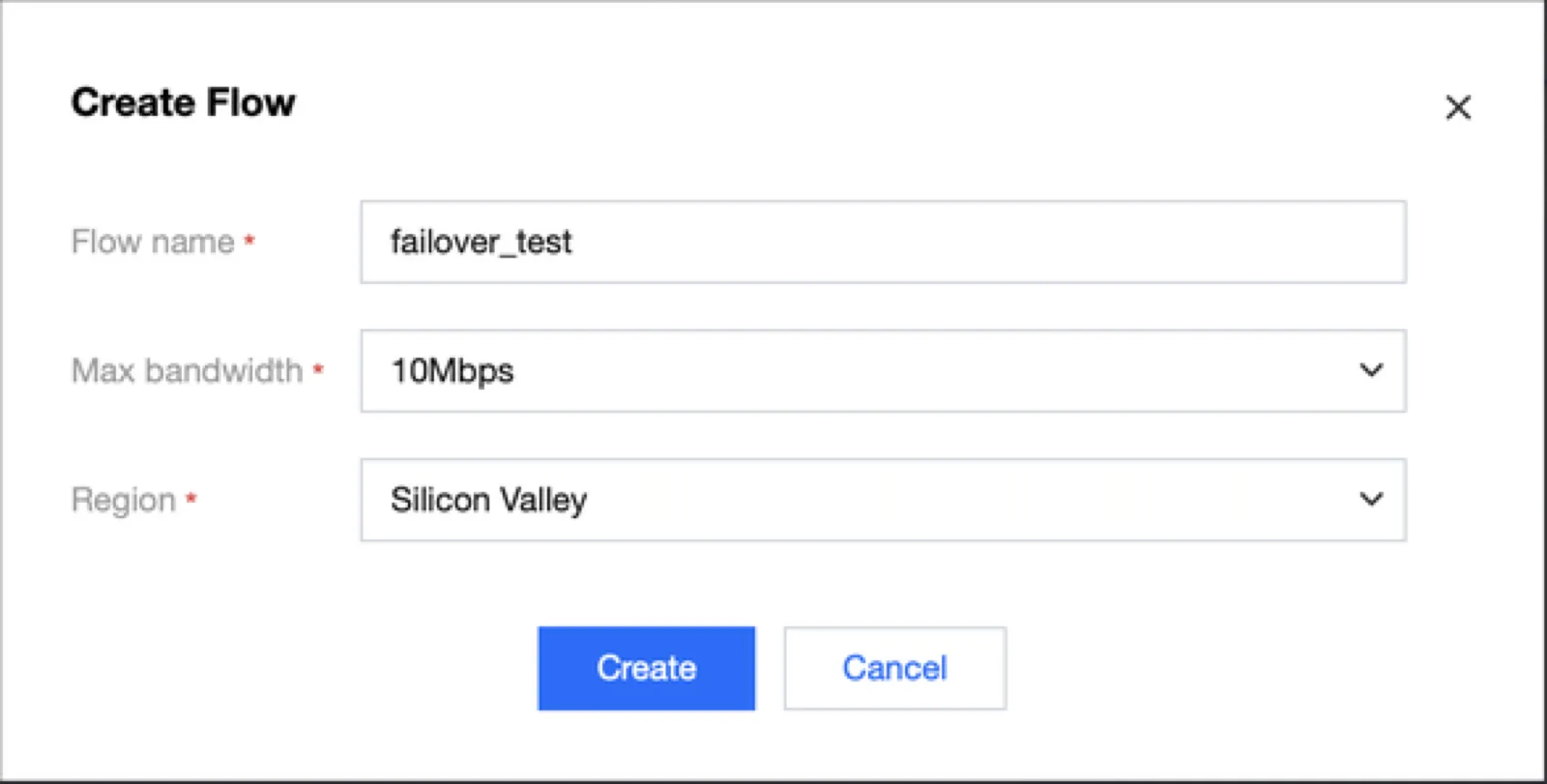
Create a flow in Flow management. Select the location of the input node and the required bandwidth. The overseas region and bandwidth in the screenshot are configuration examples; change them to match the actual push location and bitrate.
2. Adding an RTMP input
Select RTMP_PUSH in Add Input. Specify the input region / availability zone and a security group that allows the push IP. On existing screens the protocol may be displayed as RTMP, so check whether it is an input method that pushes to the generated address.
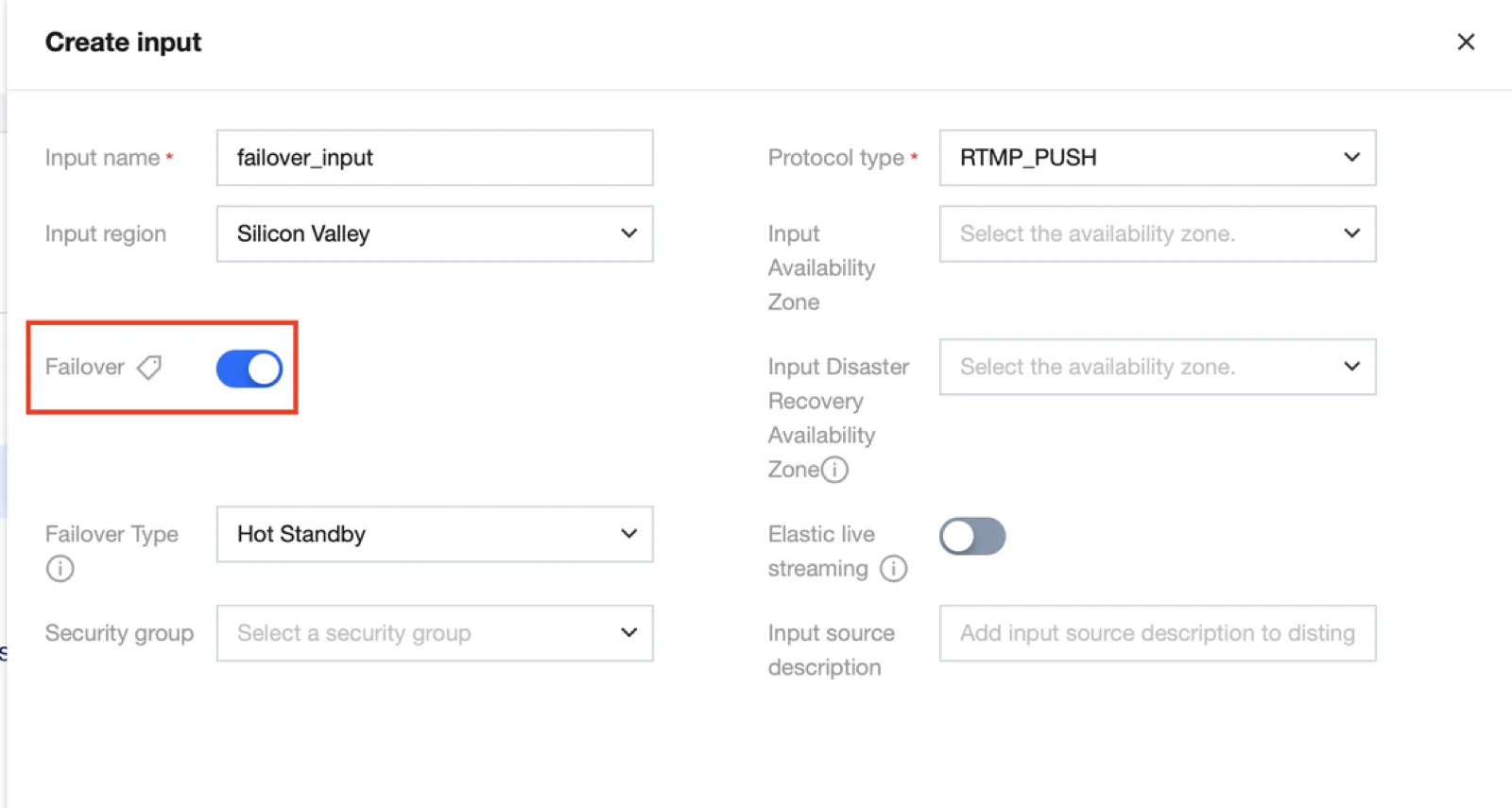
When you use failover, you can select an additional input availability zone and two input addresses are generated. If you send the signal to both, the stream that arrives first is used as the primary input, and StreamLink switches to the backup stream when the primary input fails. Basic single-path verification and failover verification are performed separately.
After creation, check the RTMP address and stream key in the Address list. If the push program takes the server address and the key separately, enter them in the respective input fields.
3. Choosing the output method
| Output method | Side that initiates the connection | Values to configure |
|---|---|---|
| RTMP_PUSH | StreamLink | Destination URL and stream key provided by the receiving platform |
| RTMP_PULL | Receiving platform | Enter the generated StreamLink output URL in the receiving platform |
4. Adding an RTMP_PULL output
In Add Output, select the Pinpoint type and RTMP_PULL. Set the region / availability zone suitable for the receiving platform, the IPs to allow, and the number of concurrent pulls.
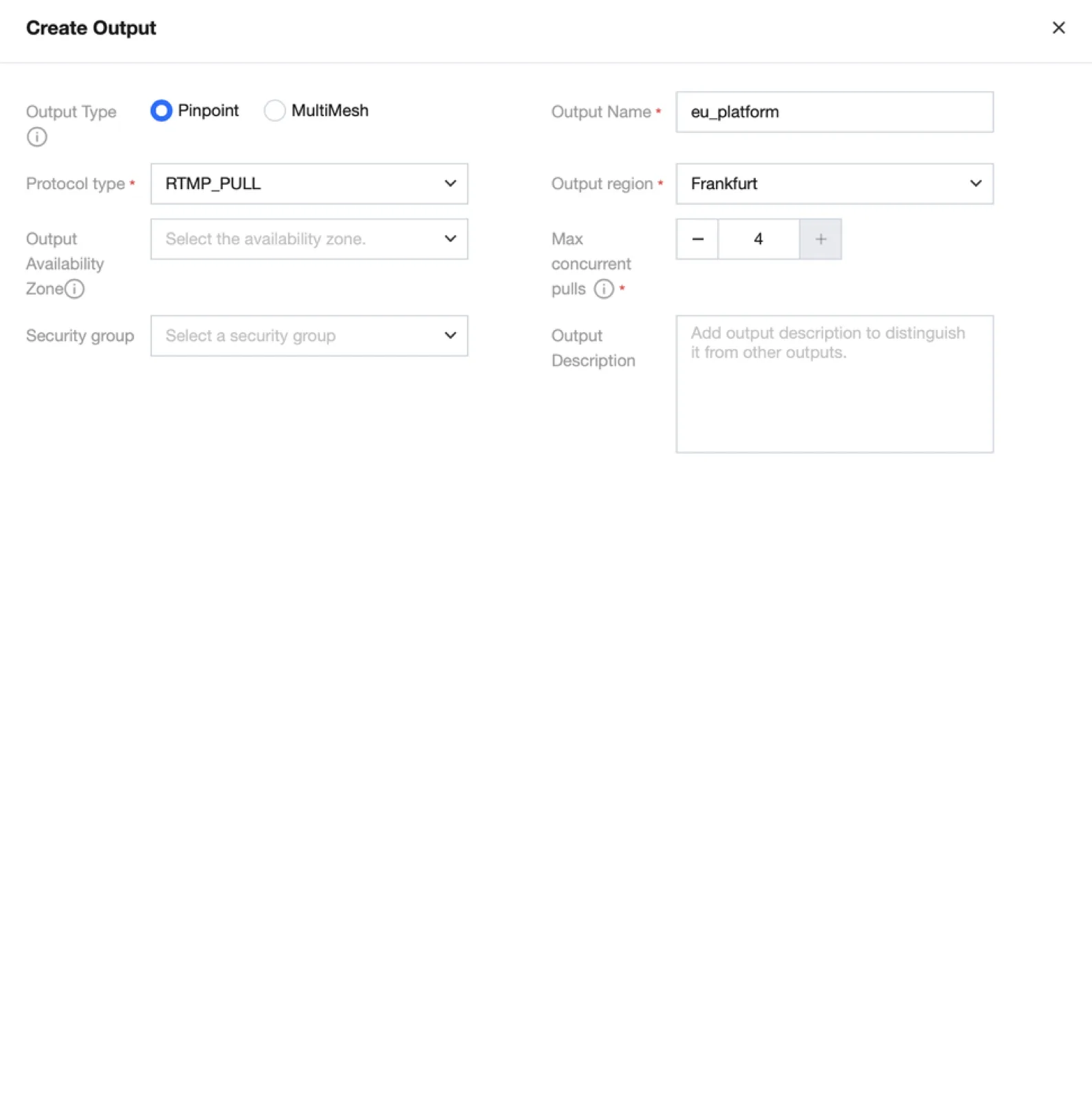
Pinpoint RTMP_PULL supports a maximum of 4 concurrent pulls. Configure per-platform access control and failure isolation for each output, and connect viewer distribution to CDN.
5. Start / transmit / verify
- Start the flow.
- Send RTMP from the push device to the input address.
- Pull the output URL from the receiving platform.
- Check the input / output bitrate and connection logs in the console.
- Play the video / audio on the receiving platform and compare it with the origin.
If there is only input but no output traffic, check whether the pull client is connected and the allowed IPs. For an RTMP_PUSH output, check the destination server address and stream key, and the receiving status of the peer server.
When you enable elastic live streaming, the pre-output buffer is configured.
Ending and reference documents
After the test, stop the push and the pull and stop the flow. If failover is needed, perform redundancy verification separately.