
Checking Addresses / Log / Health
Use Addresses, Log, and Health on the StreamLink details screen to check transport addresses and failure segments. The fact that an address has been generated is different from the state in which the source is being transmitted normally.
Prerequisites
Check the name / ID and region of the Event and Flow. Addresses may contain stream keys or connection information, so mask sensitive values when sharing them in documents / tickets.
Checking Addresses in Addresses
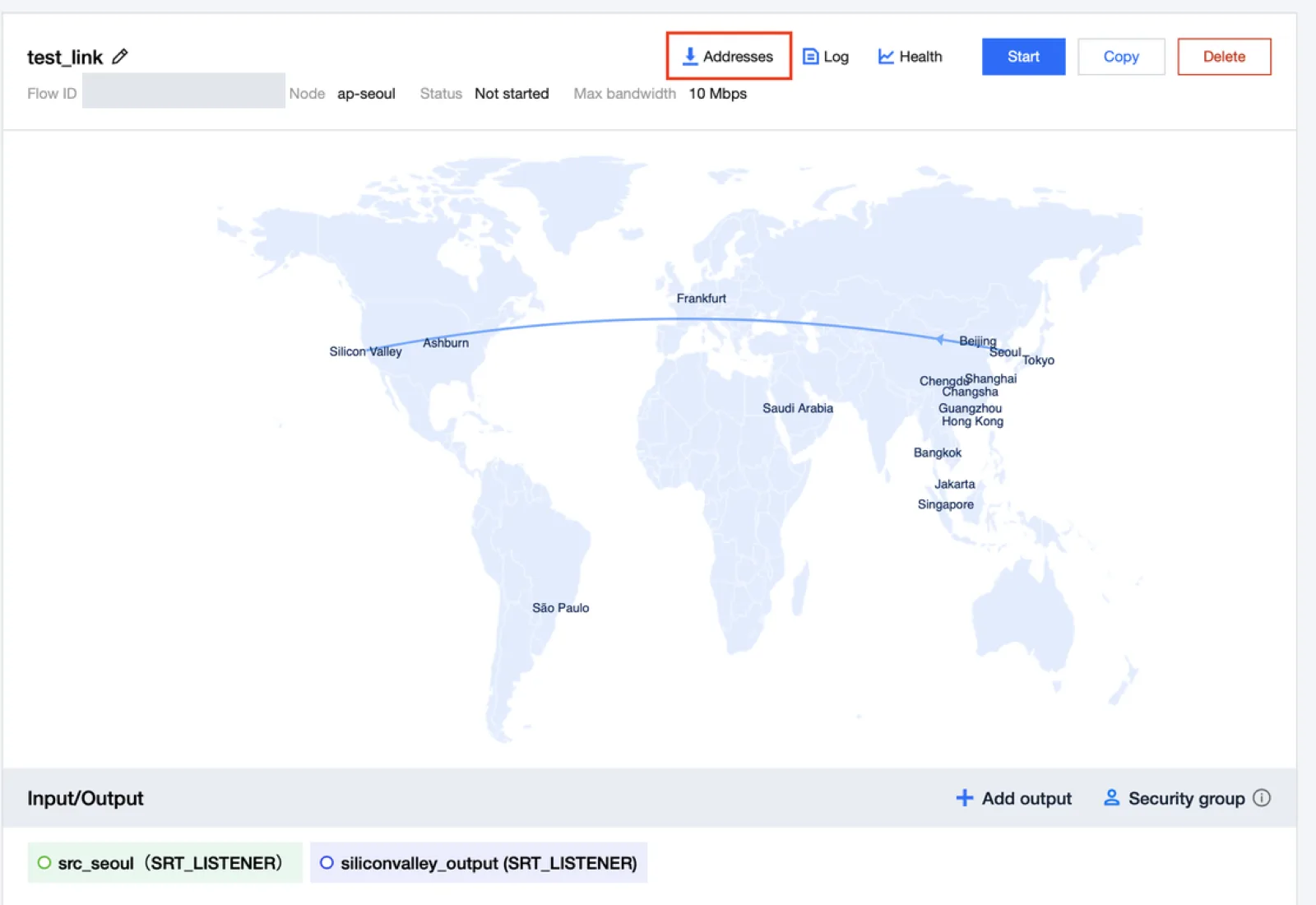
- Open the details screen of the target Flow.
- Select Addresses in the upper right.
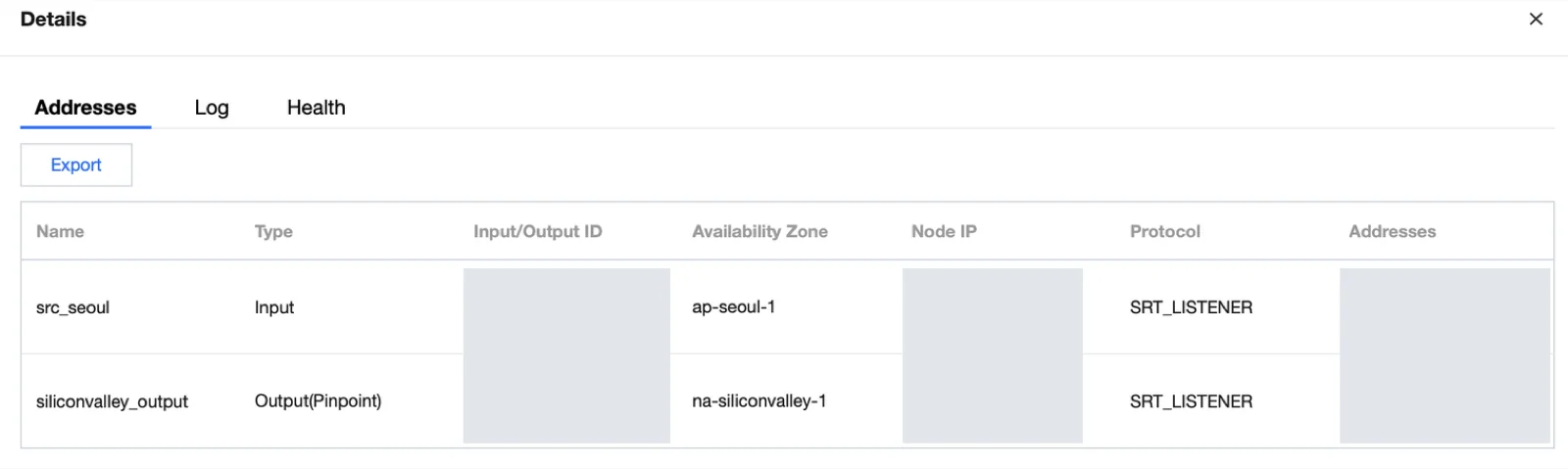
- Check the Input and Output names and copy the address you will use.
- Compare the protocol / connection direction and address format of the peer system.
| Connection | Side that uses the address |
|---|---|
| RTMP_PUSH input | The encoder sends to the StreamLink address |
| RTMP_PULL input | StreamLink connects to the configured source address |
| RTMP_PUSH output | StreamLink sends to the configured destination |
| RTMP_PULL output | The receiving system connects to the StreamLink output address |
| SRT Listener | The peer Caller connects to that address |
| SRT Caller | StreamLink connects to the peer Listener |
The SRT Caller/Listener role indicates who starts the connection.
Checking Events in Log
Log displays events that occurred during operation, such as the start of sending, stream interruption, and IP blocking. Check input events and output events separately, based on the time of the failure.
| Symptom | Check first |
|---|---|
| Input connection — | Encoder address / key, access IP, firewall |
| Input normal / output — | Destination address / protocol / authentication / reception status |
| Repeated connection / disconnection | Source transmission stability, network and timeouts |
| IP block event | The actual connecting IP and the allow policy |
Checking Metrics in Health
In Health, check the frame rate / bitrate of the input and output. SRT provides additional metrics that describe the network state.
| Metric | Meaning |
|---|---|
| RTT | Round-trip network latency |
| Send/Receive Bandwidth | Actual send / receive transmission rate |
| Lost / Retransmit | Loss detection and retransmission |
| Drop | Packets discarded after exceeding the delivery deadline |
| Send Buffer | Data waiting to be sent |
| Receive Buffer | Buffer for jitter / reordering / retransmission waiting |
Lost is a loss-detection metric, and Drop is a final-discard metric. Compare retransmission recovery with the actual playback state together.
Recording Results and Finishing Up
Stop only the test transmissions that were started separately.